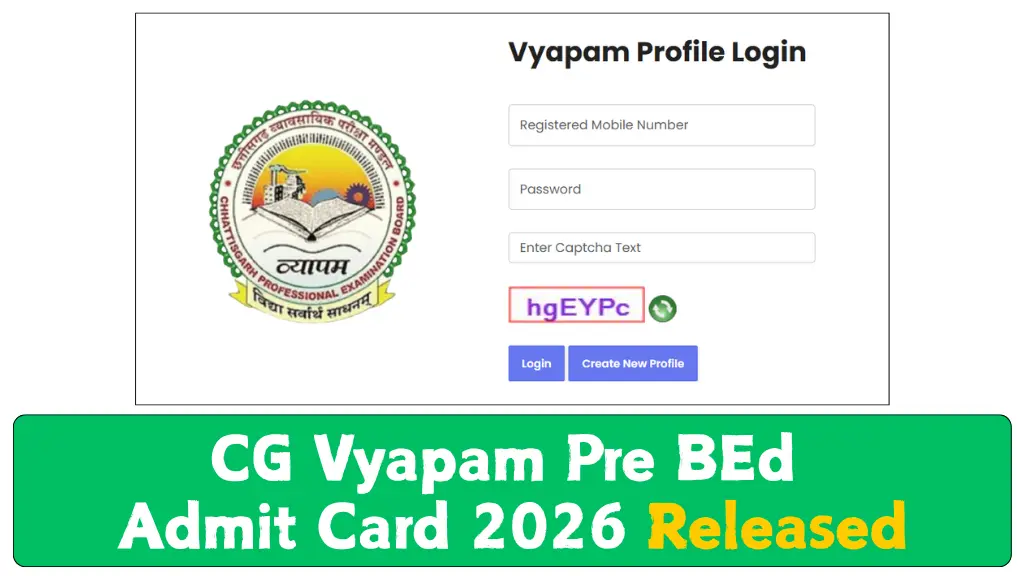
The CG Vyapam Pre BEd Admit Card 2026 has been released by the Chhattisgarh Professional Examination Board for candidates who have registered for the Pre BEd Entrance Test 2026. Applicants can now visit the official website and download their hall ticket online.
According to the official schedule, the admit card was made available on 01 June 2026, while the examination will take place on 11 June 2026. Candidates should not wait until the final day to download their admit card because website traffic, login problems, or printing issues can create unnecessary stress before the exam.
The admit card is one of the most important documents required on examination day because it contains details related to the candidate, examination timing, and allotted exam centre.
Contents
CG Vyapam Pre BEd Admit Card 2026
| Exam Authority | Chhattisgarh Professional Examination Board |
| Test Name | Pre BEd Entrance Test 2026 |
| Admit Card Status | Released |
| Admit Card Release Date | 01 June 2026 |
| Exam Date | 11 June 2026 |
| Official Website | vyapamcg.cgstate.gov.in |
How to Download CG Vyapam Pre BEd Admit Card 2026
Candidates can download the hall ticket online by following a few simple steps.
- Open the official portal of CG Vyapam at vyapamcg.cgstate.gov.in using your mobile phone, laptop, or desktop browser.
- On the homepage, search for the latest updates panel or find the Admit Card section available in the navigation menu.
- Select the link related to CG Vyapam Pre BEd Entrance Test 2026 Admit Card.
- Provide your registration number, date of birth, or any other details requested on the login page.
- After submitting your details, your admit card will appear on the screen. Download the PDF file and take at least two clear printouts for future use.
Important Details Mentioned on the Admit Card
Before printing the document, candidates should carefully check every detail printed on the admit card because even a small error can create problems during verification at the examination centre.
The hall ticket usually contains the following information:
- Candidate’s Name
- Registration Number
- Roll Number
- Photograph and Signature
- Examination Name
- Exam Date
- Exam Timing
- Reporting Time
- Examination Centre Name
- Exam Centre Address
- Important Instructions
Details You Should Verify First
Some details require special attention because they directly affect your exam entry.
- Make sure your name, photograph, and registration details are correct and match your application form.
- Check the examination date, shift timing, and reporting time carefully so that you do not arrive late.
- Read the exam centre address properly and understand the location in advance to avoid travel confusion on exam day.
Common Problems While Downloading the Admit Card
Many candidates face avoidable issues while downloading their hall ticket. Knowing these common problems can save time.
Wrong Login Details : Entering an incorrect registration number or date of birth is one of the most common reasons for login failure.
Slow Website Response : Heavy traffic near the examination date can slow down the website. If this happens, try again after some time.
Printing Errors : Sometimes candidates download the admit card but forget to check whether the printed copy is clear and readable. Always confirm that the QR code, photo, and text are visible.
Exam Day Guidelines for Candidates
Proper preparation before reaching the examination centre can help candidates stay relaxed and avoid unnecessary mistakes.
Carry Required Documents : Bring the following documents with you:
- Printed Admit Card
- Valid Photo Identity Proof
- Additional photographs if mentioned in official instructions
Reach the Centre Early : Candidates should try to reach the exam centre at least 30 to 45 minutes before reporting time because security checks and document verification may take extra time.
Avoid Prohibited Items : Do not carry mobile phones, smart watches, electronic gadgets, notes, calculators, or any unauthorized material into the examination hall.
What to Do If There Is an Error on Your Admit Card
If you notice a mistake in your admit card, do not ignore it.
Take a screenshot or keep a copy of the incorrect document and contact the official CG Vyapam support channel immediately. Explain the issue clearly and keep your application details ready for verification. It is always better to report errors before exam day rather than facing problems at the examination centre.
Official Download Links
| Download Pre BEd Admit Card | Click Here To Download Pre BEd Admit Card |
| Download Pre BEd Admit Card Notice | Click Here To Download Pre BEd Admit Card Notice |
| Download Pre DElEd Admit Card | Click Here To Download Pre DElEd Admit Card |
| Download Pre DElEd Admit Card Notice | Click Here To Download Pre DElEd Admit Card Notice |
| Download Pre BEd Admit Card | Link Active On 01.06.2026 |
| Official Website | Click Here To Open Official Website |
Frequently Asked Questions (FAQ)
The admit card was officially released on 01 June 2026.
The Pre BEd Entrance Test 2026 will be conducted on 11 June 2026.
Candidates can download the admit card from the official website: vyapamcg.cgstate.gov.in.
The CG Vyapam Pre BEd Admit Card 2026 is now available for download for candidates appearing in the Pre BEd Entrance Test 2026. Since the examination is scheduled for 11 June 2026, applicants should download their hall ticket as early as possible, verify all details carefully, and prepare their documents in advance. Good preparation before the examination day can help candidates avoid last-minute issues and focus fully on the test.